UE5 Multiplayer Framework Comparison: Which Stack Fits?
There is no single UE5 multiplayer framework. Unreal Engine ships with its own networking layer, and the other names you will hear about, such as Epic Online Services, Steamworks, Amazon GameLift, PlayFab and Nakama, each solve a different part of the problem. This guide compares all six so you can decide which combination fits your game and which pieces you can skip. If the names are starting to blur together, that is normal: they solve different problems, and you will rarely need all of them.
Short answer: start with Unreal’s built-in replication for gameplay. Add Epic Online Services or Steamworks when players need to find and join each other, and add dedicated server hosting or a backend such as PlayFab or Nakama only when fairness, scale or persistent progression demand it. That is our editorial recommendation, based on the official documentation listed at the end of this guide.
Quick recommendation
- Small co-op game with friends: built-in replication with a listen server, plus Steam or Epic Online Services for invites and sessions.
- Competitive or large-scale PvP: dedicated servers, hosted yourself or through GameLift or PlayFab, with Epic Online Services if you want its PC anti-cheat service.
- Release on several platforms and stores: Epic Online Services, which Epic describes as free, cross-platform services.
- Accounts, economy or leaderboards that persist between matches: PlayFab or Nakama.
- Prototype or learning project: Unreal’s built-in networking alone.
What counts as a UE5 multiplayer framework?
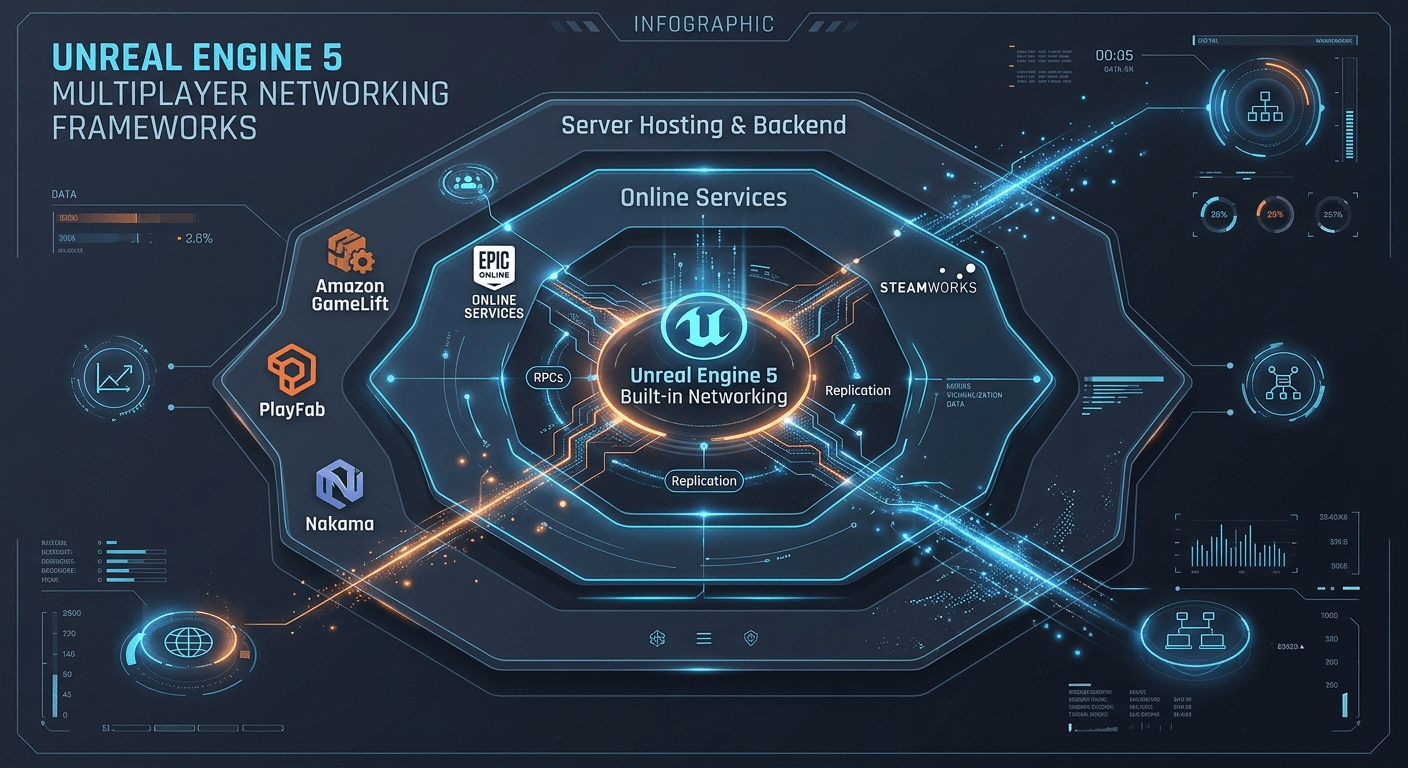
According to Epic’s Unreal Engine 5.8 documentation, Unreal uses a client-server architecture. The server holds the authoritative game state, clients send remote procedure calls (RPCs) for their actions, and the server replicates state back to every client. Everything else in this comparison sits around that core in one of three layers:
- Gameplay networking: how actors, properties and RPCs stay in sync. This is Unreal’s built-in layer.
- Online services: identity, lobbies, sessions, matchmaking, voice and anti-cheat. Epic Online Services and Steamworks live here.
- Server hosting and backend: where dedicated servers run and where persistent player data lives. GameLift, PlayFab and Nakama cover parts of this layer.
Most real projects combine one choice from each layer, so the question is rarely “which one wins” and more often “which pieces do I need”.
UE5 multiplayer framework comparison table
| Option | Layer | What the publisher says it provides | Cost model (per publisher) | Main caveat |
|---|---|---|---|---|
| Unreal built-in networking | Gameplay networking | Client-server model, replication, RPCs, listen and dedicated servers, plus Replication Graph and Iris for scale | Included with Unreal Engine | Dedicated server tutorial needs a source-built engine and a C++ project. Iris is marked Experimental in the 5.8 docs |
| Epic Online Services (EOS) | Online services | Lobbies, sessions, voice, peer-to-peer and Easy Anti-Cheat | Free services, according to Epic | Provides services, not game server hosting, so plan hosting separately |
| Steamworks | Online services and transport | Steam networking APIs, Steam Datagram Relay, lobbies and matchmaking | $100 per app Steam Direct fee, recoupable after $1,000 in adjusted gross revenue | Valve’s relay network requires being a Steam partner, though Valve says players on other platforms and stores can usually reach it when basic conditions are met |
| Amazon GameLift Servers | Server hosting | Managed dedicated server hosting with Unreal and Unity plugins, plus FlexMatch matchmaking | Pay for the compute you use; bandwidth included on eligible instance types; FlexMatch has its own charges in standalone mode | Current Unreal version support is not stated on the plugin repository’s main page, so check the plugin guide and releases. AWS says sessions managed by GameLift are limited to 200 players |
| PlayFab | Backend and hosting | Unreal plugins with lobbies, matchmaking, Party networking, voice and Multiplayer Servers on Azure | Pay-as-you-go, with Multiplayer Servers billed separately on consumption | Server hosting runs on Azure and is metered for VM hours, egress and storage |
| Nakama | Backend | Open-source server for accounts, matchmaking, realtime multiplayer, leaderboards and chat, with an Unreal C++ SDK | Apache-2.0 server you run yourself, or Heroic Cloud as the managed option | Self-hosting means running the server and a Postgres-compatible database |
1. Unreal’s built-in networking
Epic’s documentation lists four network modes: standalone, dedicated server, listen server and client. A listen server is a player who also hosts the match. Epic says this suits casual cooperative play among small groups, but the host has an advantage and the extra load makes it a weaker fit for highly competitive games. A dedicated server runs without a local player, is described as more expensive and harder to configure, and is preferred for large-scale or competitive games.
Replication is not fully automatic. Epic says creation, destruction and movement of replicated actors are handled for you, while other gameplay features must be marked for replication manually. Unreal currently offers three replication systems: the generic system that is used by default, the Replication Graph plugin that is designed to scale with large numbers of replicated actors, and Iris, which Epic calls the newest addition. The Iris page labels it an Experimental feature and advises caution when shipping with it.
Limits to know: Epic’s dedicated server tutorial uses the Lyra sample and requires a source build of Unreal Engine and a C++ project. Epic also advises planning for multiplayer from the start, because retrofitting a single-player codebase means rewriting large parts of gameplay.
Our take: this layer is unavoidable, so learn it first. Every other option in this guide sits on top of it.
2. Epic Online Services (EOS)
Epic describes EOS as free, cross-platform services that work whatever games platform and engine you use. The multiplayer services it lists are lobbies, sessions, voice chat and peer-to-peer, plus Easy Anti-Cheat for PC, player reports and sanctions for game integrity. Epic says there are no royalty or hosting fees for these services, and that deeper anti-cheat tiers are available under a paid agreement. In Unreal, Epic’s own getting-started repository demonstrates the Online Subsystem EOS plugin and has been updated to Unreal Engine 5.8. Epic’s documentation also describes a newer Online Services plugin that is intended to eventually replace Online Subsystem, so check which one your engine version recommends.
Third-party plugins also exist. For example, Redpoint’s EOS Online Framework on Fab describes itself as a single purchase that includes Blueprint nodes (the listing cites more than 400), matchmaking and support, and it lists a free edition for students and hobbyists. These are the seller’s claims. Read the license terms before buying, and our Fab buying checklist covers what to verify.
Limits to know: EOS provides services such as lobbies and sessions. Epic’s overview does not list game server hosting, so you still need your own hosting or a peer-to-peer design.
3. Steamworks
Valve’s documentation describes newer Steam networking APIs that relay packets through the Valve network by default, with ordinary UDP connectivity also supported. Steam Datagram Relay is the relay service, and Steam also offers matchmaking and lobbies. Unreal’s Steam support comes through the Online Subsystem Steam plugin. Releasing on Steam costs a $100 Steam Direct fee per app. Valve says the fee is not refundable but is recouped from payments once the product reaches $1,000 in adjusted gross revenue.
Limits to know: Valve states that using its relay network requires being a Steam partner. Valve also says that players on other platforms and stores can access the relay network in most cases, provided your game meets some basic conditions, so Steam features are not strictly limited to Steam-only releases. Check Valve’s conditions before you rely on cross-store play.
4. Amazon GameLift Servers
AWS describes GameLift as managed hosting for dedicated game servers. It supports Unreal Engine, Unity and custom engines, and provides plugins for Unity and Unreal. According to AWS, you pay only for the compute capacity you use, and network bandwidth is included at no extra charge for eligible instance types, with no commitment required for that benefit. FlexMatch matchmaking can also be used on its own, and in that standalone mode AWS lists separate charges for player packages and matchmaking hours.
Limits to know: AWS publishes its Unreal plugin as open source in two variants: a server SDK only, and a plugin that adds Editor tools for deploying to GameLift. The repository’s main page does not state which Unreal versions the current release supports, so check the plugin guide and release notes against your project before committing. AWS also says GameLift manages game sessions of up to 200 players and suggests custom solutions for large persistent worlds.
5. PlayFab
Microsoft’s Unreal documentation describes two plugins: a core PlayFabUnreal plugin for authentication, services and game saves, and OnlineSubsystemPlayFab, which adds lobby, matchmaking, Party networking and voice. A dedicated server can create and own PlayFab lobbies through the server entity. PlayFab’s pricing page describes pay-as-you-go plans and says Multiplayer Servers, which run custom game servers in Azure, are billed separately on a consumption basis for virtual machine hours, network egress and storage.
Limits to know: hosting runs on Azure and is metered separately from the platform plan, so estimate server costs from Microsoft’s price sheet rather than from the plan price alone.
6. Nakama
Heroic Labs publishes Nakama as an open-source game server under the Apache-2.0 license. It covers accounts, matchmaking, realtime multiplayer, leaderboards and chat. The Unreal SDK is a C++ plugin with full Blueprint access, and Heroic Labs says it compiles for Unreal Engine 4.25 or later and Unreal Engine 5. You can self-host the server, or use Heroic Cloud as the managed option. The server’s README says it needs CockroachDB or another Postgres wire-compatible database.
Limits to know: self-hosting means you operate the server and its database.
Our take: Nakama and PlayFab are backends for the social and persistent side of a game. In our reading of the sources, they work alongside Unreal’s replication rather than replacing it.
Which UE5 multiplayer framework should you choose?
Work through these questions in order. The answers are our editorial guidance, built on the facts above.
- Who hosts the match? If a player can host, a listen server is enough for casual co-op. If fairness or player count matters, plan dedicated servers.
- How do players find each other? Pick Steam if Steam is your main store, or EOS if you ship across several platforms and stores.
- Where do dedicated servers run? Run them yourself, or use a managed service such as GameLift or PlayFab Multiplayer Servers.
- Does progress persist between matches? If it does, add PlayFab or Nakama. If it does not, you can skip a backend.
- What will it cost at your scale? Compare the providers’ own pricing pages, since hosting is metered differently by each.
Checklist before you commit
- Build every gameplay feature with multiplayer in mind from the first prototype, as Epic recommends.
- Replicate only what players must share, and use dormancy and unreliable RPCs where Epic’s networking tips suggest them.
- Follow Epic’s dedicated server tutorial on the Lyra sample to see a server and two clients running on one machine before you pay for hosting.
- Choose your session layer (EOS or Steam) before you design lobby screens.
- Check each plugin’s supported Unreal version against your project’s engine version.
- Estimate hosting and service costs from each provider’s current pricing page.
FAQ
Do I need a dedicated server for UE5 multiplayer?
Not always. Epic describes listen servers as often acceptable for casual multiplayer and cooperative games, and dedicated servers as ideal for large-scale or competitive games.
Is Iris ready for production?
Epic’s Unreal Engine 5.8 documentation labels Iris as Experimental and tells developers to use caution when shipping with it. It is opt-in and runs alongside the existing replication system.
Is Epic Online Services really free?
Epic describes EOS as free services for multiplayer games. Third-party plugins that wrap EOS can have their own prices, so check each plugin’s license separately.
How we researched this guide
This comparison was verified on 20 October 2026 against official documentation. We read Epic’s Unreal Engine 5.8 networking and dedicated server pages, Valve’s Steam Direct fee page, AWS’s GameLift pricing and FAQ pages and the main page of AWS’s Unreal plugin repository. For the Epic Online Services, Microsoft, Heroic Labs and remaining Valve pages we relied on excerpts of their official pages rather than reading every page end to end. We have not built a game with each option, so we publish no benchmarks, latency figures or test results. Statements attributed to a publisher are its own claims, and prices and plugin versions change, so confirm them on the linked pages before you decide. Pages that mention Unreal versions can be older than the current engine release.
Sources: Epic’s Networking Overview, Iris Replication System, Setting Up Dedicated Servers and Online Subsystems and Services; the Epic Online Services game services page and EOS Getting Started repository; Valve’s Steam Direct fee, Steam Networking and ISteamNetworkingSockets pages; AWS’s GameLift FAQ, GameLift pricing and Unreal plugin repository; Microsoft’s PlayFab for Unreal overview and PlayFab pricing; Heroic Labs’ Nakama repository and Unreal multiplayer guide; and the EOS Online Framework Fab listing.
Next steps
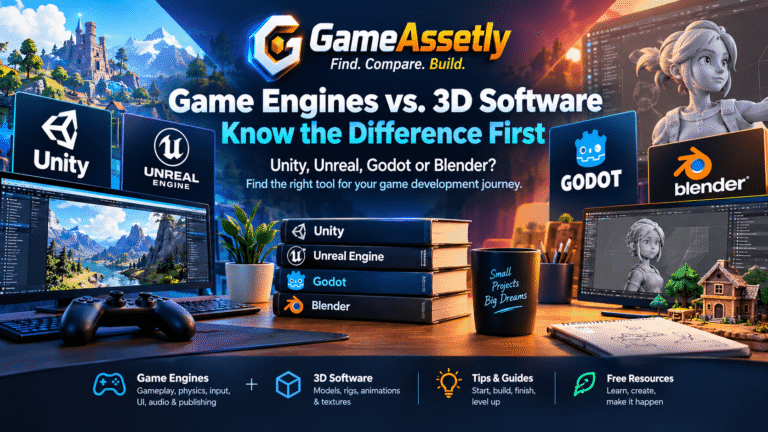
Prototype with built-in replication and a listen server first, then add one online service layer once the core loop works. If you are still deciding on an engine, read our Unity vs Unreal vs Godot vs Blender beginner guide, and if you are shopping for Unreal content, see our best Fab assets for Unreal Engine 5.
Bottom line
Start simple. Build your gameplay on Unreal’s built-in replication with a listen server, and add one online service only when a real need shows up: EOS or Steam so players can find each other, dedicated hosting when fairness matters, PlayFab or Nakama when progress has to persist. Prices and plugin support change quickly, so double-check the linked pages before you commit. And if you have shipped something with one of these stacks, we would love to hear how it went through the Contact page. Good luck with your game!