
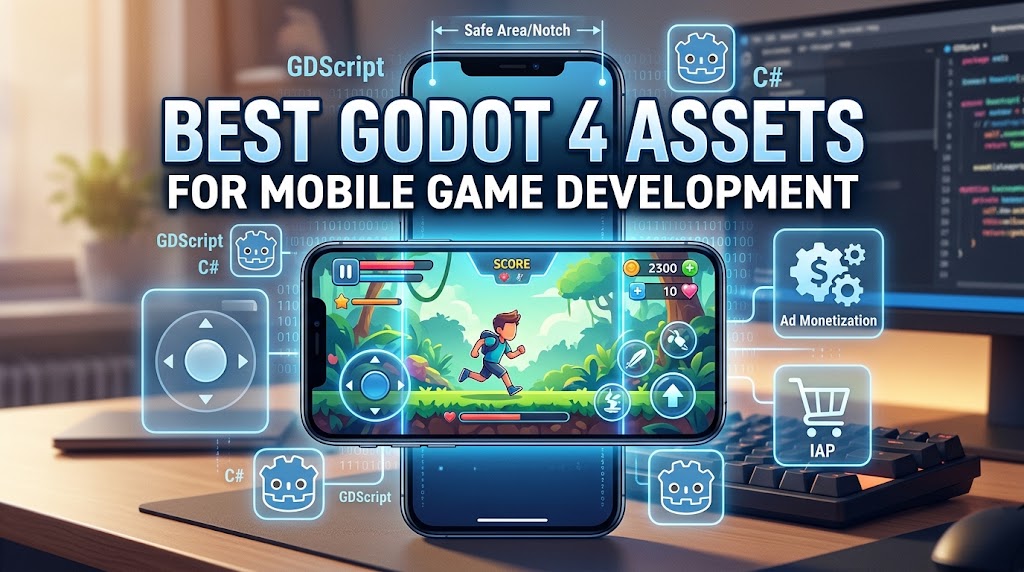
12 Best Godot Engine Assets for Mobile Game Development (2026 Guide)
If you’re building a mobile game in Godot Engine 4, you already know the engine itself is completely free and open-source. But what makes or breaks a mobile project isn’t just the engine — it’s the toolkit you surround it with. Touch controls, notch-safe UI, ad monetization, in-app purchases, and native platform bridges don’t always come out of the box.
The good news? The Godot ecosystem in 2026 has matured significantly. Between the official Godot Asset Store, the community-driven Godot Asset Library, Kenney’s CC0 asset collection, and itch.io’s growing Godot section, there’s a solid tool for almost every mobile dev need.
We spent time digging through these sources, filtering specifically for mobile relevance, testing compatibility, and ranking what we found.
Looking for Unity or Unreal deals as well? Don’t forget to check our updated GameAssetly Deals Page for limited-time discounts and asset bundles.
How These Godot Assets Were Ranked
Every asset below was evaluated on five core criteria essential for shipping a mobile title:
- Mobile relevance: Does it solve a problem unique to touchscreens, notches, or mobile deployment?
- Godot 4 compatibility: Is it actively maintained for 4.x, or stuck on 3.x?
- Ease of integration: Can you drop it in, or do you need to compile native binaries?
- Value & Licensing: Is it free? Is the license permissive enough for commercial use (MIT, CC0)?
- Community trust: Is it backed by the engine team, Google, or a recognized developer?
1. Gohud — The Most Complete Mobile UI Kit for Godot 4
- Source: Godot Asset Store
- Author: WITHCENTER
- License: MIT
- Price: Free
- Rating: ⭐⭐⭐⭐⭐ (4.83 / 5.0)
If you had to pick just one asset from this entire list, Gohud should be it. It’s a full GUI, HUD, and UI/UX kit built specifically for Godot 4, covering almost every mobile UI pattern imaginable: modal surfaces, bottom sheets, dialogs, forms, snackbars, coach marks, HUD bars, quick slots, and a virtual joystick.
What makes it stand out for mobile is the built-in safe-area support (no notch overlaps), virtual-keyboard handling, and RTL layout support. You drop it into res://addons/gohud/ and it just works off a single customizable theme system.
- What’s great: Covers nearly all mobile UI patterns; built-in safe-area and notch support; virtual joystick included.
- What to watch: Theming system has a slight learning curve; documentation is community-maintained.
2. Godot Virtual Joystick — Simple, Reliable, Free
- Source: Godot Asset Library
- Author: ihuhhkkp
- License: MIT
- Price: Free
- Rating: ⭐⭐⭐⭐⭐ (4.70 / 5.0)
Not every game needs a complex UI framework. Sometimes you just need a touch joystick that works reliably out of the box. This lightweight asset supports both 2D and 3D movement, allows custom base/handle textures, and runs smoothly on lower-end Android devices. Setup is genuinely drag-and-drop: add the VirtualJoystick scene to your UI layer and you’re good to go.
- What’s great: Extremely simple setup (drag & drop); lightweight footprint; supports both 2D and 3D.
- What to watch: Lacks dynamic repositioning or follow modes.
3. AdMob Plugin by Poing Studios — Monetize Your Mobile Game
- Source: Godot Asset Store / Asset Library
- Author: Poing Studios
- License: MIT
- Price: Free
- Rating: ⭐⭐⭐⭐⭐ (4.58 / 5.0)
If your mobile game uses a free-to-play model, you need ads. This plugin wraps the official Google Mobile Ads SDK for Godot 4.2+ and works on both Android and iOS. It supports all standard ad formats: fixed/adaptive banners, interstitials, rewarded videos, rewarded interstitials, and app open ads.
Two standout features make it developer-friendly: editor mock ads (test placements without deploying to a physical device) and built-in UMP (User Messaging Platform) consent for GDPR compliance.
- What’s great: Official Google SDK wrapper; supports mock testing in editor; full GDPR/UMP consent support.
- What to watch: Requires setting up Google AdMob accounts and ad units; C# and GDScript setups differ slightly.
4. GodotX Safe Area — Fix Notch and Cutout Overlaps
- Source: Godot Asset Store
- Author: Paulo Coutinho
- License: MIT
- Price: Free
- Rating: ⭐⭐⭐⭐⭐ (4.58 / 5.0)
Every mobile developer eventually faces UI elements getting hidden behind camera cutouts, rounded corners, or gesture bars. GodotX Safe Area is a lightweight node that automatically adjusts margins based on the device’s native safe area. It supports both iOS and Android cutouts and includes a debug overlay to visualize safe zones during development.
- What’s great: Solves a universal mobile UI issue; zero configuration required; includes visual debug overlay.
- What to watch: Requires Godot 4.5+; redundant if you are already using Gohud (#1).
5. Virtual Joystick Plus — Advanced Touch Input Control
- Source: Godot Asset Library
- License: MIT
- Price: Free
- Rating: ⭐⭐⭐⭐⭐ (4.58 / 5.0)
When basic touch controls aren’t enough, Virtual Joystick Plus steps in. It provides three interaction modes: NORMAL (fixed position), DYNAMIC (appears where touched), and FOLLOW (tracks finger movement). You get normalized analog output with precise deadzone handling and directional signals.
- What’s great: Three interaction modes; precise deadzone signals; mobile-aware auto-hide visibility option.
- What to watch: Requires Godot 4.5+; slightly more configuration required compared to basic joysticks.
6. Kenney Game Assets — The Free Asset Goldmine
- Source: kenney.nl
- Author: Kenney
- License: CC0 1.0 (Public Domain)
- Price: Free
- Rating: ⭐⭐⭐⭐⭐ (4.53 / 5.0)
Kenney’s collection is an essential resource for any indie game developer. Offering thousands of 2D sprites, 3D models, UI audio packs, and prototype textures, everything is released under CC0 (Public Domain). This means zero restrictions, no mandatory attribution, and full commercial usage rights.
Several packs are pre-packaged specifically for the Godot Asset Library, making them ideal for rapid mobile prototyping.
- What’s great: CC0 public domain (100% commercial safe); massive variety across 2D, 3D, and UI audio.
- What to watch: Aesthetic is geared toward prototyping rather than final production art.
7. Godot IAP — Cross-Platform In-App Purchases
- Source: Godot Asset Library
- Author: hyodotdev
- License: MIT
- Price: Free
- Rating: ⭐⭐⭐⭐ (4.43 / 5.0)
Godot IAP provides a unified cross-platform API for in-app purchases following the OpenIAP specification. It seamlessly bridges iOS (StoreKit 2) and Android (Google Play Billing 8+) using type-safe GDScript. It supports consumables, non-consumables, and recurring subscriptions.
- What’s great: Single GDScript API for both iOS and Android; type-safe; actively maintained.
- What to watch: Product IDs and pricing must still be configured in Google Play Console and App Store Connect.
8. Mobile Idle & Clicker UI Kit — Production Ready UI
- Source: itch.io
- Author: Template Foundry
- License: Commercial
- Price: $5.99
- Rating: ⭐⭐⭐⭐ (4.43 / 5.0)
Building a casual, clicker, or idle mobile game? This kit saves weeks of UI design time. For under $6, you get 18 production-ready screens, 600+ SVG/PNG vector assets, 3 color themes, and a fully functional Godot 4 demo project ready to test out of the box.
- What’s great: 18 complete screens covering shop, prestige, quests, and upgrades; includes Godot 4 demo project.
- What to watch: Genre-specific (idle/clicker/casual only); paid asset.
9. Godot Apple Plugins by Xogot — Native iOS & macOS Integration
- Source: Godot Asset Store
- Author: Xogot (Miguel de Icaza)
- License: MIT
- Price: Free
- Rating: ⭐⭐⭐⭐ (4.28 / 5.0)
Created by Miguel de Icaza, Godot Apple Plugins provides native bindings for iOS, macOS, and visionOS. It connects Godot games directly to Game Center, StoreKit 2, Sign in with Apple, ARKit, CoreMotion, and native file pickers. It includes empty stubs for Windows/Linux so your code compiles without errors on non-Mac platforms.
- What’s great: Deep integration with Game Center, StoreKit, and ARKit; cross-compilation stub safety.
- What to watch: iOS/Apple platforms only; building for iOS still requires a Mac and an Apple Developer account.
10. Godot Mobile Terrain Editor — Sculpt Terrain on Mobile
- Source: Godot Asset Store
- Author: Stefan Lacio
- License: MIT
- Price: Free
- Rating: ⭐⭐⭐⭐ (4.20 / 5.0)
A unique tool that brings 3D terrain sculpting directly into the Godot Mobile Editor. You can raise, lower, smooth, flatten, and paint 3D terrain directly on an Android tablet or phone using pure GDScript and shaders — no native C# or GDExtension binaries required.
- What’s great: Runs inside Godot Mobile Editor; low footprint; works on 32-bit and budget devices.
- What to watch: Niche use case; limited to 4-layer splatmap painting.
11. ShipGodot — Automate iOS Builds and TestFlight
- Source: ShipGodot.com
- License: Commercial / Service
- Price: From $4.99/month
- Rating: ⭐⭐⭐⭐ (4.13 / 5.0)
Exporting, code-signing, and deploying iOS builds to TestFlight can be tedious. ShipGodot automates the entire CI/CD export pipeline, allowing developers on Windows, Linux, or iPad to build and ship iOS games without managing local Xcode configurations.
- What’s great: Automates TestFlight uploads from any OS (Windows, Linux, iPad); saves hours on release cycles.
- What to watch: Monthly subscription model; still requires an active $99/yr Apple Developer account.
12. Glossy Mobile Game UI Kit — Buttons & Icons
- Source: itch.io
- Author: Neon Core Studio
- License: Commercial
- Price: $4.99
- Rating: ⭐⭐⭐⭐ (4.13 / 5.0)
For casual mobile games needing a polished, glossy aesthetic, this asset pack delivers high-quality buttons, icons, and frames. While not Godot-specific (it consists of standard PNGs), the UI assets drop seamlessly into Godot Control nodes.
- What’s great: High-quality, modern glossy mobile UI art; affordable.
- What to watch: Generic PNG assets (requires manual node setup in Godot).
Quick Comparison: All 12 Godot Mobile Assets
| Rank | Asset | Category | Price | License | Score |
| 1 | Gohud | UI / HUD Kit | Free | MIT | 4.83 |
| 2 | Godot Virtual Joystick | Touch Controls | Free | MIT | 4.70 |
| 3 | AdMob Plugin | Monetization | Free | MIT | 4.58 |
| 4 | GodotX Safe Area | UI Utility | Free | MIT | 4.58 |
| 5 | Virtual Joystick Plus | Touch Controls | Free | MIT | 4.58 |
| 6 | Kenney Game Assets | Art & Audio | Free | CC0 | 4.53 |
| 7 | Godot IAP | Monetization | Free | MIT | 4.43 |
| 8 | Mobile Idle UI Kit | UI Kit | $5.99 | Commercial | 4.43 |
| 9 | Godot Apple Plugins | Platform Bridge | Free | MIT | 4.28 |
| 10 | Mobile Terrain Editor | Tools | Free | MIT | 4.20 |
| 11 | ShipGodot | Deployment | $4.99+/mo | Service | 4.13 |
| 12 | Glossy Mobile UI Kit | UI Art | $4.99 | Commercial | 4.13 |
The Recommended Starter Stack for Godot Mobile
If you are starting a fresh Godot 4 mobile project today, here is the essential, 100% free starter stack:
- Gohud for your complete HUD, navigation, and safe-area UI layout.
- Godot Virtual Joystick for responsive touch controls.
- AdMob Plugin for ad monetization.
- Godot IAP for in-app purchases.
- Kenney Assets for CC0 prototype graphics and UI audio.
Everything in this recommended stack is open-source (MIT or CC0), meaning you can build, prototype, and ship commercial mobile games without upfront software costs.



2 Comments