
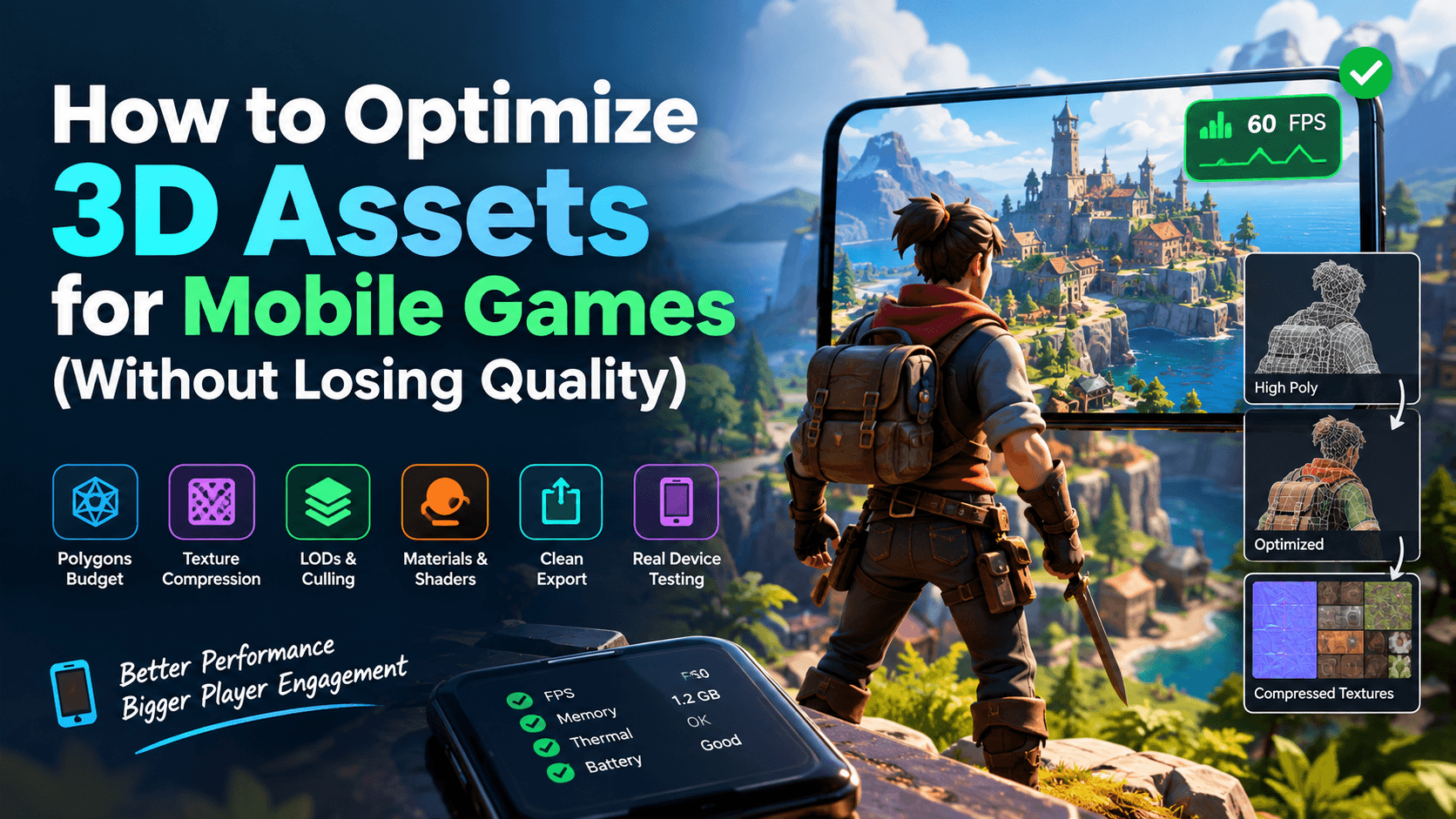
How to Optimize 3D Assets for Mobile Games (Without Losing Quality)
Quick summary: Mobile hardware has tight limits on memory, heat and battery, but that doesn’t mean your art has to look cheap. The secret is to spend your budget where players actually look. Set clear polygon and texture budgets, bake detail into normal maps, compress textures with the right formats, use LODs, and cut draw calls through atlases and shared materials. This guide walks through each step so your 3D assets run at a smooth frame rate and still look great.
Why Mobile 3D Optimization Matters
A modern flagship phone is powerful, but it shares that power with thermal limits, battery drain and a huge range of devices. A game that runs at 60 FPS on a new phone can stutter, overheat or crash on a mid-range device from three years ago. Since most of the mobile market is mid-range and budget hardware, optimization is not a final polish step. It is a core part of asset design.
The good news is that players judge quality by overall impression, not raw numbers. A well-optimized asset with clean silhouettes, crisp textures and consistent lighting will beat a heavy, unoptimized model every time. Optimization done right is invisible.
Start With a Budget, Not a Model
The most common mistake is building a high-detail asset first and trying to shrink it later. Instead, define budgets before modeling begins. A budget tells you how much geometry, texture memory and material complexity each asset can spend.
Here is a practical starting point for mid-range mobile targets. Adjust it to your game’s camera distance and art style.
| Asset Type | Triangle Budget | Texture Size | Materials | Notes |
| Main character | 5,000–15,000 | 1024–2048 px | 1–2 | Prioritize face and hands |
| NPC / enemy | 2,000–6,000 | 512–1024 px | 1 | Share textures across variants |
| Weapon / hero prop | 1,500–5,000 | 512–1024 px | 1 | Detail matters in first-person |
| Environment prop | 300–2,000 | 256–512 px | 1 (shared) | Use atlases |
| Building / large structure | 3,000–10,000 | 1024–2048 px | 1–2 | Modular pieces work best |
| Foliage / small clutter | 50–500 | 128–256 px | 1 (shared) | Use alpha cards sparingly |
Treat these as guidelines. A top-down strategy game can use far fewer triangles per unit than a third-person action game, because the camera never gets close. If you want a head start, our low poly game assets are already built around budgets like these.
Reduce Polygons Intelligently
Polygon count matters, but where you spend polygons matters more.
Focus on silhouette. The outline of an object is what players notice most. Keep enough geometry to hold curves on edges that face the camera, and remove edge loops that sit on flat surfaces.
Retopologize instead of blindly decimating. Automatic decimation is fast, but it often creates messy triangles that deform badly and shade poorly. For hero assets, manual or semi-automatic retopology produces cleaner edge flow, better animation and a lower count with better results.
Remove what nobody sees. Delete hidden faces, interior geometry and the bottoms of objects that sit on the ground. On modular environments, this alone can save thousands of triangles.
Avoid tiny triangles. GPUs process triangles in small blocks of pixels, so very thin or tiny triangles waste performance. Dense geometry far from the camera is one of the biggest hidden costs on mobile.
Bake Detail Into Textures
This is the single most important technique for keeping quality while cutting cost. Instead of modeling every rivet, scratch and fold, create a high-poly version and bake its detail onto a low-poly model.
- Normal maps fake surface detail like panels, stitching and wrinkles by changing how light reacts to the surface.
- Ambient occlusion (AO) adds soft shadowing in crevices, which gives objects depth even under simple lighting.
- Curvature and thickness maps can drive edge wear or subsurface effects without extra geometry.
For best results, keep your UV islands clean, use enough padding between them to avoid bleeding, and set hard edges wherever your UV seams split. Mismatched smoothing and seams are a leading cause of ugly baking artifacts.
Optimize Textures Without Making Them Blurry
Textures usually consume more memory than meshes, so they are often the best place to save. But careless downsizing is where quality is most easily lost.
Use the right resolution for the screen. A prop that covers a small part of the screen does not need a 2048 px texture. Calculate texel density (pixels per meter) and keep it consistent across assets so nothing looks sharper or blurrier than its neighbors.
Use texture atlases. Combining several small textures into one sheet lets multiple objects share a single material, which sharply reduces draw calls. It is one of the most effective mobile tricks.
Choose modern compression formats. Uncompressed PNG files are fine as source files, but they should never ship in your build. Use GPU-friendly compression instead:
| Format | Platform | Quality | Best For |
| ASTC | Modern Android and iOS | Excellent, adjustable block size | Nearly everything |
| ETC2 | Most Android devices | Good | Broad Android compatibility |
| PVRTC | Older iOS devices | Fair | Legacy support only |
| BC7 / DXT | Desktop | Excellent | Not for mobile |
ASTC is usually the best choice today because you can trade quality for size by changing the block size. Use smaller blocks (like 4×4 or 5×5) for hero textures and larger blocks (like 8×8) for background assets.
Keep source textures in power-of-two sizes (256, 512, 1024, 2048) so mipmaps and compression work correctly.
Enable mipmaps for 3D objects. They reduce shimmering and aliasing at a distance and improve cache performance, at a small memory cost.
Simplify Materials and Shaders
Every unique material can add a draw call, and complex shaders slow down fragment processing, which is often the real bottleneck on mobile GPUs.
- Share materials across as many objects as possible.
- Use a simplified PBR workflow. Full PBR with many texture inputs is expensive. Pack roughness, metallic and AO into separate channels of a single texture to cut sample counts.
- Avoid heavy transparency. Alpha blending causes overdraw, which is very costly on mobile. Use alpha cutout for foliage where possible, and keep transparent surfaces small.
- Skip expensive features such as real-time reflections, complex refraction and high-cost post-processing unless the game truly needs them.
- Use mobile-specific shaders. Unity’s mobile-friendly Universal Render Pipeline shaders and Unreal’s mobile rendering path are built for this.
Use LODs and Culling
Levels of detail (LODs) swap a model for a simpler version as it moves away from the camera. A well-tuned LOD chain can cut triangle counts dramatically with no visible difference.
A common setup is three levels:
- LOD0: full detail, used up close.
- LOD1: around 50% of the triangles, used at medium distance.
- LOD2: around 20–25% of the triangles, or a billboard, used far away.
Switch levels based on screen size rather than fixed distance when possible, so results stay consistent across different fields of view. Combine LODs with frustum and occlusion culling so the engine skips objects that can’t be seen at all.
Keep Rigs and Animations Lean
Characters carry extra costs beyond the mesh itself. Well-built game-ready characters keep these numbers in check from the start.
- Limit bone counts. Aim for roughly 30–60 bones on main characters and fewer on background NPCs.
- Limit bone influences per vertex to four, which is the standard for most mobile engines.
- Reduce animation keyframes. Most tools can compress animation curves with almost no visible loss.
- Avoid unnecessary blend shapes. They are memory-heavy, so reserve them for faces that need them.
Bake Lighting Where You Can
Real-time lights and dynamic shadows are among the most expensive things you can ask of a mobile device. Baking static lighting into lightmaps lets you get rich, moody scenes with almost no runtime cost. Use dynamic lighting only for objects that truly move, and limit real-time shadows to the player or key characters. Blob shadows or simple projected shadows are often enough for everything else.
Export Cleanly
A clean export prevents many problems before they reach the engine.
- Apply transforms and freeze scale before exporting.
- Use consistent naming for meshes, materials and textures.
- Choose glTF/GLB or FBX based on your pipeline. GLB is compact and great for lightweight assets.
- Strip unused data such as extra UV sets, vertex colors and hidden objects.
- Set the correct pivot point so objects place and rotate properly.
Building a level from scratch? Modular environment assets already follow these export rules, so they drop into your engine without cleanup.
Test on Real Devices
Emulators and high-end test phones can hide serious problems. Always profile on at least one low-end and one mid-range device.
Watch for these metrics:
- Frame time, not just FPS, since it shows spikes.
- Draw calls and batches
- Memory usage, especially texture memory
- Thermal behavior after 10–15 minutes of play
- Load times
Tools like Unity Profiler, Unreal Insights, Xcode Instruments and Android GPU Inspector will point you to the real bottleneck. Optimize what the profiler shows, not what you assume.
Quick Optimization Checklist
- Set triangle and texture budgets before modeling.
- Retopologize hero assets and remove hidden geometry.
- Bake high-poly detail into normal and AO maps.
- Keep texel density consistent.
- Compress textures with ASTC or ETC2.
- Use atlases and shared materials to reduce draw calls.
- Build 2–3 LODs for anything seen at varying distances.
- Bake static lighting.
- Profile on real low-end and mid-range devices.
Frequently Asked Questions
How many triangles should a mobile game character have?
It depends on how close the camera gets. A third-person hero usually lands between 5,000 and 15,000 triangles, while units in a top-down or isometric game can look fine at 1,500 to 3,000. Decide by checking the character at its real on-screen size, not by copying a number from another project.
Are normal maps too heavy for low-end phones?
Rarely. A normal map costs one extra texture sample per pixel, which is far cheaper than the thousands of triangles it replaces. The exception is very small objects that occupy only a few dozen pixels on screen. There the map is invisible, so skip it and save the memory.
Should I ship ASTC or ETC2 textures?
Start with ASTC, since nearly every phone sold in recent years supports it. A 6×6 block size is a sensible default: it needs roughly 3.6 bits per pixel, so a 2048 px texture takes under 2 MB before mipmaps. Keep ETC2 only as a fallback if you must support very old Android hardware.
Can I use 4K textures in a mobile game?
Only for special cases such as a skybox or a single hero object shown up close. An uncompressed 4096 px RGBA texture eats about 64 MB of memory, and even compressed it is several times heavier than a 2048 px one. Most gameplay assets look identical at 1024 or 2048 px.
How many draw calls are safe on mobile?
There is no universal number, but many teams aim for roughly 100 to 200 batches on mid-range devices. Treat that as a starting target and confirm it with a profiler on your slowest supported phone.
How do I know when an asset is optimized enough?
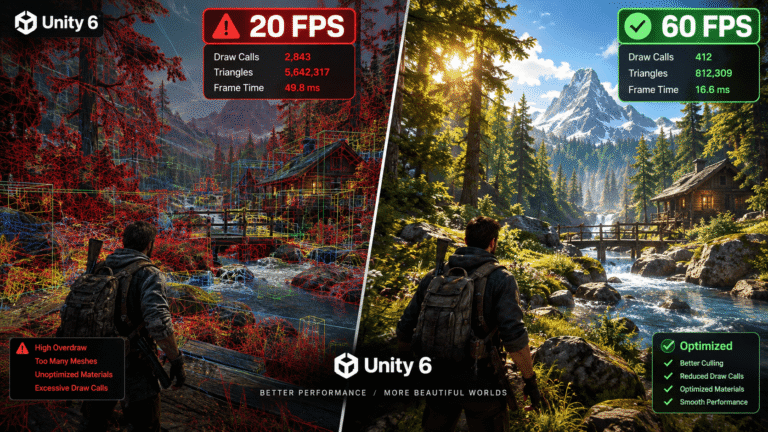
Look at frame time, not just the FPS counter. For 60 FPS you have about 16.6 ms per frame, and for 30 FPS about 33.3 ms. Leave 20 to 30 percent of that as headroom, because phones slow themselves down as they heat up during long play sessions.
Final Thoughts
Optimizing 3D assets for mobile is really about making smart tradeoffs, not big sacrifices. When you plan a budget early, bake detail into textures, compress wisely and test on real hardware, you can deliver polished visuals that run smoothly on almost any phone. The result is a game that looks better, loads faster and keeps players engaged longer.
If you’re looking for ready-to-use, game-ready models, browse the optimized collections at Gameassetly.com, where assets are built with mobile performance in mind.
We thought this might interest you… unity-6-performance-optimization-assets/


One Comment