
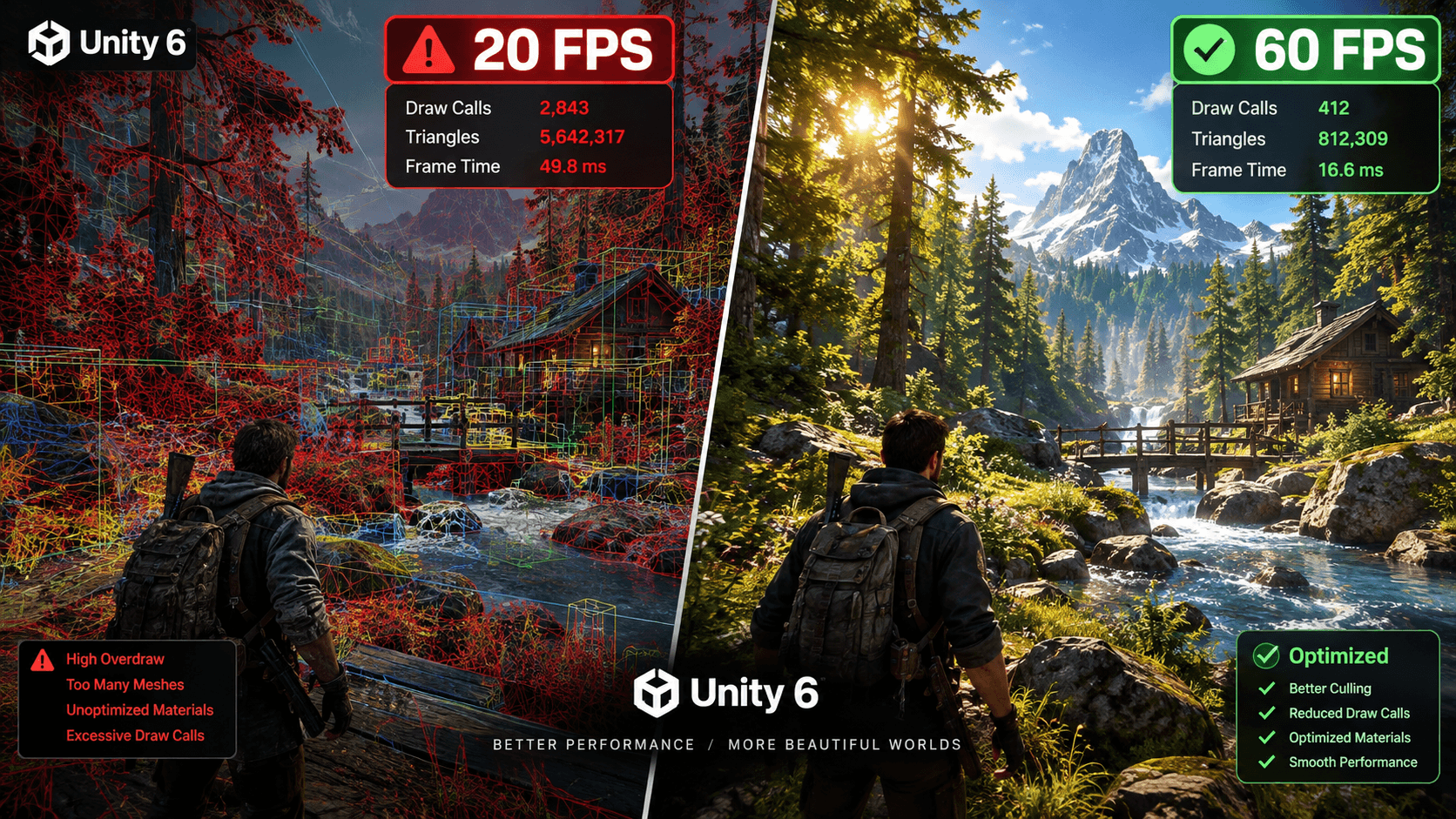
Top 7 Unity 6 Performance Optimization Assets to Boost Your FPS (2026 Guide)
If your Unity 6 project is chugging along at 20 FPS instead of 60, chances are you’re staring down one of three culprits: too many draw calls, an unoptimized poly count, or lightmaps that take forever to bake. The good news? You don’t have to fix all of this by hand. The Asset Store has a handful of genuinely solid tools that handle mesh combining, occlusion culling, texture compression, and garbage collection cleanup — often with a single click.
Here’s a rundown of the seven assets worth adding to your toolkit, what they’re actually good for, and how to figure out which one solves your specific bottleneck.
Quick Comparison
| Asset | What It Does | Best For | Unity 6 Ready |
|---|---|---|---|
| Mesh Combiner | Cuts draw calls via static mesh merging | Environments, low-poly scenes | ✅ |
| Amplify Impostors | Generates 3D billboards | Dense foliage, open-world | ✅ |
| LOD Group Generator | Automated mesh decimation | Large props & characters | ✅ |
| Texture Baker | Material atlasing | Mobile & WebGL | ✅ |
| Bakery (GPU Lightmapper) | Fast lightmap baking | Architectural/static lighting | ✅ |
| Lean Pool | Memory & CPU cleanup | Scripting bottlenecks | ✅ |
| Perfect Culling – Occlusion Culling System | Distance rendering | Massive scenes, VR | ✅ |
1. Mesh Combiner Pro — For Killing Draw Calls in Static Scenes
Got a hundred rocks, fences, and background props scattered across your level? Each one is its own draw call by default, and that adds up fast. Mesh Combiner Pro merges all those static objects — meshes and materials both — into one optimized mesh with a shared atlas.
The nice part is it does this without wrecking your collision meshes, so you’re not stuck rebuilding physics afterward. Developers using it regularly report draw calls dropping from four figures down to under 50, and it plays nicely with URP, HDRP, and the Built-in pipeline in Unity 6.
2. Amplify Impostors — For Forests and Open Worlds
Flat 2D billboards look fine until the camera moves, and then suddenly that tree looks like a cardboard cutout. Amplify Impostors solves this with camera-facing, depth-aware impostors that actually respond to lighting and cast shadows correctly — from a distance, they’re nearly indistinguishable from the real 3D asset.
This is the go-to pick if you’re rendering thousands of trees or rocks and need your GPU to barely notice. It’s built to work with Unity 6’s URP/HDRP Render Graph out of the box.
3. Automatic LOD Generator — For Skipping the Manual LOD Grind
Hand-building LOD0, LOD1, and LOD2 meshes in Blender or Maya is one of those tasks nobody enjoys. This asset automates the decimation process right inside the Unity Editor, using a poly-reduction algorithm smart enough to preserve silhouettes and keep your UV mapping intact.
It’s most useful when you’re dealing with complex, high-poly models that would otherwise crush your GPU at a distance.
4. Easy Mesh & Texture Baker — For Mobile, Quest, and WebGL
Mobile GPUs and standalone VR headsets don’t handle high material counts gracefully — too many texture samplers, and performance tanks. This tool bundles your PBR textures (albedo, normal, roughness) into a single atlas and merges the geometry underneath into one draw call, complete with automatic UV recalculation.
If you’re chasing a stable 90–120 FPS on Quest or trying to get a mobile build to stop stuttering, this is often the missing piece.
5. Bakery — For Lightmaps That Don’t Take All Night
Unity’s built-in Progressive Lightmapper is thorough but slow — painfully slow on bigger scenes. Bakery is a production-grade GPU lightmapper (using Nvidia CUDA) that bakes indirect lighting, directional lightmaps, and ambient occlusion in a fraction of the time, with ray-traced quality and no visible light leaks.
Great fit for architectural visualization or any project with mostly static lighting, since it shifts the lighting cost from runtime to a pre-baked texture.
6. GC-Free Collections & Profiler Tools — For Stopping the Stutter
Garbage collection spikes are probably the single most common cause of micro-stutter in Unity games. Swapping standard C# lists and arrays for GC-free, zero-allocation alternatives — paired with proper object pooling — eliminates the memory fragmentation that triggers those periodic hitches.
If your Profiler shows GC.Collect spiking every few seconds, this is where to look first.
7. Perfect Culling – Occlusion Culling System
Rendering geometry the player can’t even see — behind walls, outside the camera frustum — is pure waste. This system combines hardware occlusion culling with distance-based impostor streaming, so only what’s actually visible reaches the render queue. In dense urban scenes or dungeon crawlers, some developers have seen FPS gains as high as 300%.
So Which One Do You Actually Need?
- Draw calls too high (CPU-bound) → Mesh Combiner or Texture Baker
- Poly count too high (GPU-bound) → Amplify Impostors or LOD Generator
- Lighting bakes take forever → Bakery
- Random frame stutters → GC-free tools + object pooling
Most projects end up needing two or three of these together rather than just one — a mesh combiner for your static props and an impostor system for your foliage, say. Profile first, though. Optimizing the wrong bottleneck just wastes time you could’ve spent actually shipping the game.
I recommend checking out our article on AI-powered Unity assets. Right here.






One Comment